A Hindsight on My Journey as a Developer
As one of my roles as a software developer in Hunters was coming to an end, before I moved to my next role I was requested to try and draw, in both the highest hawk-eye view and lowest micro perspectives possible, my journey as a developer - to help and guide new team members in growing to be productive and proactive developers.
I consulted my co-workers regarding the best format to document such a journey, and the trivial answer to that was, well, a journal. So that’s how this blog was born.
So this is a processed, detached-out-of-context of the Hunters eco-system version of the journal I wrote to aid new developers in our team achieve greatness in the world of software development. It naturally focuses around my area of expertise - Python.
So without ant further ado, let’s go!
Before we start
Hello fellow developer! In this blog I will try, with as least memes as is scientifically possible, to organize the important knowledge I believe should be the basic toolbox of every Python developer. Under this huge title I will try and focus on the topics I feel most comfortable with and (mostly ;)) the things I know well. For every topic discussed I’ll try and draw my way to where I am now, so you can follow the path too and get inspired to make your own journey in the quest for improving as a developer.
Each section is going to be focused on a specific skill I believe is relevant, starting from a quick self assessment so you can easily measure yourself and decide which topics require more in depth focusing from your side and which you can quickly surpass. Each section would have its own learning resources I use when exploring these topics - the method section.
The topics are ordered from the most to the least important, useful and fundamental skills. If you intend on following the path I draw here go over them in order and make sure you are comfortable with the self assessments before you move on. You are of course encouraged to make your own journey and way in this crazy world. It is not an easy task to keep your engines running - if something is easier and more accessible to you go there and start small. It is more important to put yourself in a learning state than make it through the checklist one by one - go to where you are excited to go to and let your curiosity guide you.
In a single word, this whole document can be summarized to learn. And never stop learning. Only this way you can improve yourself and become a valuable, meaningful teacher and educator for your coworkers.
A Quick Word on LLMs
Hi, this is River from the future. This guide was written originally in 2023, before the time of LLMs as a main coding tool and a daily workflow game changer. Coding workflows and development cycles have changed a lot since then, for better or worse is a different topic but today in the beginning of 2026 LLMs have become integrated into all coding tasks from writing code to reviewing and autonomous workflows. I still strongly believe that there is a fundamental and basic benefit for understanding things without the aid of LLMs or any external tools for that matter. In the spirit of From NAND to Tetris (which I highly recommend by the way), the more abstraction you can strip and still understand what is going on the better. I do, however, know that LLMs aren’t going away and will affect the coding world forever whether we like it or not. The main benefit I as a teacher believe they can help us with is structuring knowledge - ask an LLM for a quick, in depth or any level in the middle of a summary about a topic and you have a personalized teacher tailored for your needs and learning style. A lot of tools can also transfer knowledge of a certain medium to another - for example creating a podcast on a topic, which can help with different learning styles and adapting any type of material to any learner. Try and keep in mind the goal of staying independent and maintaining an internal knowledge base that is capable of critical thinking and doesn’t shut off when LLMs aren’t around. Given the time this piece of advice was written, take it with a grain of “you can do it with LLMs” small print - both on the tasks at hand and the resources to learn about performing them.
GIT
If you are not good enough at git you are not a good enough developer.
- Learn git.
- For real, learn git.
- You might think you know git.
- You don’t.
- Learn git.
- Yes, you need to understand how git works behind the scenes to do this. Learn git.
GIT Self Assessment
You should be familiar enough with git so that the following instructions are trivial and easy to perform using the git cli:
- Revert the changes you just did to a specific commit in your branch history.
- Revert the changes you merged to the main branch of the repo.
- Pull changes from another branch.
- Pull specific files from another branch.
- Squash, rename and change the messages of your commits.
- Rebase/merge your branch on top of another branch and fix merging conflict.
You should be able to handle the following tasks easily and quickly using the GitHub platform (or any equivalent platform):
- Create a PR to another branch that is not the main branch in order to suggest refactoring of others’ work when in a CR situation.
- Create an edit suggestion to micro-improve specific code lines in a CR process.
- Work with markdown files and learn where in the Github environment they are relevant (hint: everywhere). I highly suggest learning to perform these tasks from your preferred IDE too, as reading a few hundred lines of code for review in the GitHub environment vs. on your IDE with your code display preferences and themes makes a big difference. VSCode has great tools for code reviewing and PR management - explore and find the tool that would make you most efficient.
GIT Learning Method
The best way I’ve found to learn git is by trial and error - aided by a few more specific tools along the way.
First, whenever you think of something regarding files in a repo, commits and branch management, etc. - that could, should, or is possibly achievable with git - do it. Try and solve the issue using the git CLI first. Hopefully this would create situations that you are not prepared for and that you don’t know how to solve - forcing you to learn a new skill.
Learn how to revert and get comfortable with the thought of - I can do anything I want, worst case scenario I can revert to anywhere I want in my working tree without fear. Then you can truly experiment with real scenes that rise from the daily work.
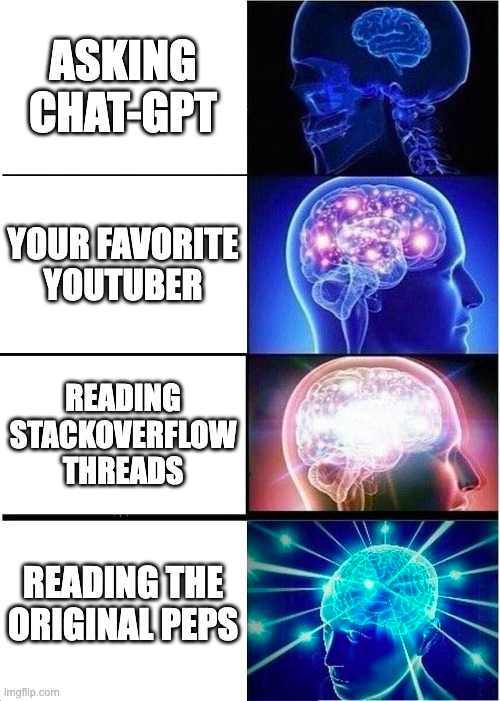
Second, when looking for an answer - read through complete Stackoverflow threads or ask deep dive explanations from your favorite coding agent. To the bottom. This is a true goldmine for deep understanding of things in general and in git specifically. Git is a very complex system (but less than you think), where issues are often very specific. This means that solutions to problems that people seek help for is seldom general but always very detailed. Assuming you are not learning git from ground zero, the details are what matters most. You need to be familiar with the details, so read all the way down.
GIT Resources
As far as Git goes there are many many resources to learn from. I’ll list here a few popular choices, some I have experienced with and some are commonly used and I have not tried them personally.
- If you are starting from scratch, a great place to start is the Git tutorials of Corey Schafer which I appreciate a ton and helped me a huge way in my journey (and is also mentioned below in the Python section).
- When you are comfortable with daily workflow management and want to dive a little deeper two good places to look at are the Git Pro book and the Git Kraken learning center. Both I haven’t used myself but they are considered great choices and have very good reputation in the community.
- Finally, when you are stuck on something specific and want to understand the solution to you situation once and for all, search StackOverflow’s git section. The git section is full of great, very detailed answers and discussions from which I learned a ton.
Python
Make sure you know python - as a language - as good as you possibly can. As mentioned before, we are striving to always learn, so to begin with make sure you are comfortable with the core of the language - main features, patterns and paradigms, and understand the behind the scenes of a popular framework related to the area of your work (good choices are, to name a few, Pandas, FastApi, PySpark, and Airflow). See the self assessment section for deep dive on the concepts worth taking a look at.
Once you are comfortable with the main features and the language you will be able to read and understand new code, features and libraries/frameworks quickly and easily.
Ideally, strive to become the top technical authority in the team, you should spot weak points and bad practices instantly and know how to approach them from the other way round in order to make it better.
Python Self Assessment
You should be able to:
- Learn and introduce new features of the language to the team.
- Read about a new feature and recognize spots in our workflow that could benefit from it.
- From a more technical angle, in order to be able to review code best and see major improvements and best practices that need implementing you should easily understand, read, write, and know the ins and outs of these advanced concepts:
- How and why everything is objects.
- Higher order functions and functions as first class citizens.
- Decorators.
- Context managers.
- How the import system works.
- Library and package management and orchestration.
- Pytest and Unittest.
- import this.
Python Learning Method
Strive to learn something new about the language every week. I cannot stress how important this is. Have a list of concepts you want to get deeper into and understand better and put an hour a week in your schedule to read through this list.
When learning new things:
- Prefer the official docs over most other things, especially over reading tutorials.
- After searching for relevant PEPs to read and docs to go over, look for someone in the company to teach you about the concept. Someone from the company with context to our systems and approach is very helpful in grasping the coding style and standard we hold and maintain. You can reach out to me of course.
- Prefer Medium article reviewing a wider concept and rich Stackoverflow thread over reading specific tutorials.
- Find your favorite teachers online and search for an answer in their materials first - this engages me the best and I gather a collection of tips from different people to grasp a wider understanding of their coding style.
- I recommend:
- Reading:
- Real python
- Anything referenced by the community supported Python Developer Roadmap.
- Youtube:
- Arjan codes - this is my currently favorite online teacher.
- Corey Schafer - this is where I learnt to code for real.
- Prettyprinted.
- Reading:
- I recommend:
- When possible, challenge yourself by reading PEPs instead of tutorials or the official docs.
- Reading PEPs and understand them is not always an easy task, but when you are up for it and have a few minutes to spare they are really the best and most thorough place to learn anything about any core feature of the language.
Python Resources
The resources are detailed above with context, here is a summary of them with a short description:
- Technical:
- PEPs - for when you want to deep dive into a feature or a concept.
- official docs - for when you need a quick introduction or reminder of something you need to use.
- Reading:
- Real python - huge knowledge base with varying levels of articles.
- Python Developer Roadmap - guide through the python world with many references to other places to learn.
- Youtube:
- Arjan codes - this is my currently favorite online teacher, explains all sorts of computer science and software engineering via the eyes of a python developer.
- Corey Schafer - this is where I learnt to code for real. Great content with in-depth explanations to many important concepts. Also has many courses you can learn through (e.g. a Flask series).
- Prettyprinted - usually on the shorter side, useful for quickly learning something new.
- Tech with Tim - another very talented teacher with many resources on many topics, including advanced Python concepts and many more. Especially interesting is his Expert Python Tutorials Series.
Good Coding
Good Coding Self Assessment
- You should know what SOLID is and how to implement it in the programming languages you know.
- It’s best to research each language on its own, different languages have different best practices and ways to best achieve the same concepts.
- Put extra time into knowing the ins and outs of every system you are working on. Just as a tip of the iceberg example, if you know how state is managed on Terraform - including both in code and in infrastructure - the chances you will recognize a faulty state bug in a code review are much bigger comparing to if you weren’t as fluent in all the internals of Terraform.
- This is a long process that should take some time to complete. To avoid overwhelming from a huge code base, at the beginning try and treat every feature you are writing as an opportunity to learn. Once the task you are given is easy for you, use it as an opportunity to ask the questions “who manages this part in the code?”, “how is this done behind the scenes?”, “what else is happening here?”. Needless to say, this of course doesn’t mean you need to go read all of the internal code of your environment by tomorrow. Whenever you encounter a question or a bug - dive deep and try to grasp the core concepts of the area you are looking at, use every debug session or feature development an an opportunity to learn a new corner of the system you are working on. Slowly but surely, you’ll build a deep and wide understanding of all of the systems you encounter on a daily basis.
- Make sure you are comfortably familiar with all part of the system including and not restricted to:
- Infrastructure systems.
- AWS applications involved (and reading their logs and configurations).
- Base code of all systems. You roughly should have read every line of code in the project by now, or at least know what every file is responsible of.
- Don’t bother legacy code you only maintain, this is not a code base to learn from.
- Learn the OOP design patterns of the gang of four. Learn to recognize when a situation is growing big enough to start thinking/researching about it when designing/coding something. This is not a quick process and some design patterns are old and irrelevant. The best way to learn these is with other people, hear more opinions and think about things together. In Hunters we had a design patterns book club, create a platform for learning wherever you are and use it. Groups pace is often slower but this is ok, design patterns have sometimes new and complicated concepts, it might take a year or more even, don’t worry about it. We’re taking the long run here. Digital Ocean is a great place to learn about the gang of four patterns.
Good Coding Learning Method
- This is a long process. Take your time and do it at your own pace but do not take it lightly. I found putting half an hour every day or two to research something new the best way to keep myself moving. Figure out what is the best method for you and create todos so you are never out of learning material.
- Arjan Codes mentioned above in the Python section is a great place to learn best practices, SOLID and OOP design patterns implementation in Python.
- In general - start asking yourself questions and try to understand everything on your own. Go deeper. Look for the answers and explanations. Ask and research.
-
Do not overlook “side” tools. Whenever you use them, learn something new. Treat them as part of the code base and learn to understand them as best as you can. This includes among other things:
- Docker(!).
- Kubernetes.
- The various AWS Applications (or any other cloud infrastructure provider) in your work environment use.
- Snowflake, Spark and Postgres.
- Any other technologies that are in your work environment tech stack.
- Make sure you are involved in all of the knowledge sharing platforms that are available to you (in Hunters, for example, we currently have a Scala Guild, Design Patterns Book Club, a mentorship program, and Fullstack Guild).
- In the face of ambiguity, refuse the temptation to guess. Ask! Everything! You have some amazing people around you who are usually happy to teach, explain, and help you grow. USE THEM. Seriously, do it. Get involved, read the explanations, attend the lectures, connect with the people.
- Track your skills somehow. I recommend Developer Roadmaps as it is a great and important tool to make sure you always have on your mind something you want to learn and paths to go down in order to improve. It is also fun and gratifying to see your progress move.
Good Coding Resources
- Arjan Codes is a great teacher regarding SOLID, best practices and how to implement them in python.
- Digital Ocean’s Design Patterns Overview and their SOLID Overview.
- Developer Roadmaps, a great and important tool to track your learning as a developer.
- The docker course of TheNetNinja is great (as well as his other stuff, even though this is less our focus today).
Seniority
After some time as a team member in the Hunters software development team, I was promoted to a senior developer. For me, more than a title, this was a heartwarming and encouraging recognition of my skills and contribution to my team. I’ll try and make some sense into the key take-outs that were the “official” reasons my workspace and contribution were seen and eventually got me to where I am now. For me, taking my role seriously meant I am expected to be a knowledge person, a teacher and a technical master. So I make sure, every day, that I am not neglecting this side of my role.
Seniority Learning Method
- Make sure you are finding ways to improve your teaching skills.
- Lecture whenever possible.
- Teach wherever it is suitable.
- Learn. A lot. All the time.
- Ask for feedback and get better.
- Do not overlook Code Reviews (CRs) - this is a major learning platform in the world of code, use it a lot and use it tactfully and wisely.
- Watch the external references mentioned on the guidelines, periodically if you feel like it - CR experience is not a replacement for proper understanding of the process and its role and importance.
- Treat CRs as a learning space. Research and take these opportunities to learn new tools yourself and teach them and share the knowledge.
- A few tips that would help you conduct a meaningful CR (and learning) paradigm with your coworkers and maintain both feel-good and beneficial relationships with your CR-ees and teammates:
- Treat every CR, code or question with respect and concern. Imagine this is your code you are about to hand over to an interviewer or a question you are about to ask your interviewer. We all strive to do our best and there are no stupid questions.
- No one writes bad code on purpose. If you see a piece of code that you believe could be improved this is a great opportunity to ask more questions and get context as to the “why” it was written that way, suggest improvements and provide insight into your thought process. This the place for you as a teacher to sharpen your educational skills and for the CR-ee to learn. These opportunities might be rare in a working day-to-day environment, cherish them and use them as the platform for promoting technical expertise.
- Treat every CR with more than a few lines of code seriously. Think of the last dumb line of code you encountered in a legacy system in your environment that you had to debug and think how it could have been less pain-in-the-ass-y if someone gave it extra ten minutes of thought a few years back. If you are concerned about the time you spend on CRs, reimagine the damned line of code and think of the time you spent debugging it alone in the dark at 4am.
- Do not overlook good documentation. Debugging alone in the dark a buggy line that you don’t know what it’s doing is even worse. Better naming and self-explanatory SOLID code that makes documentation redundant is better than documentation, but documentation is better than bad naming.